
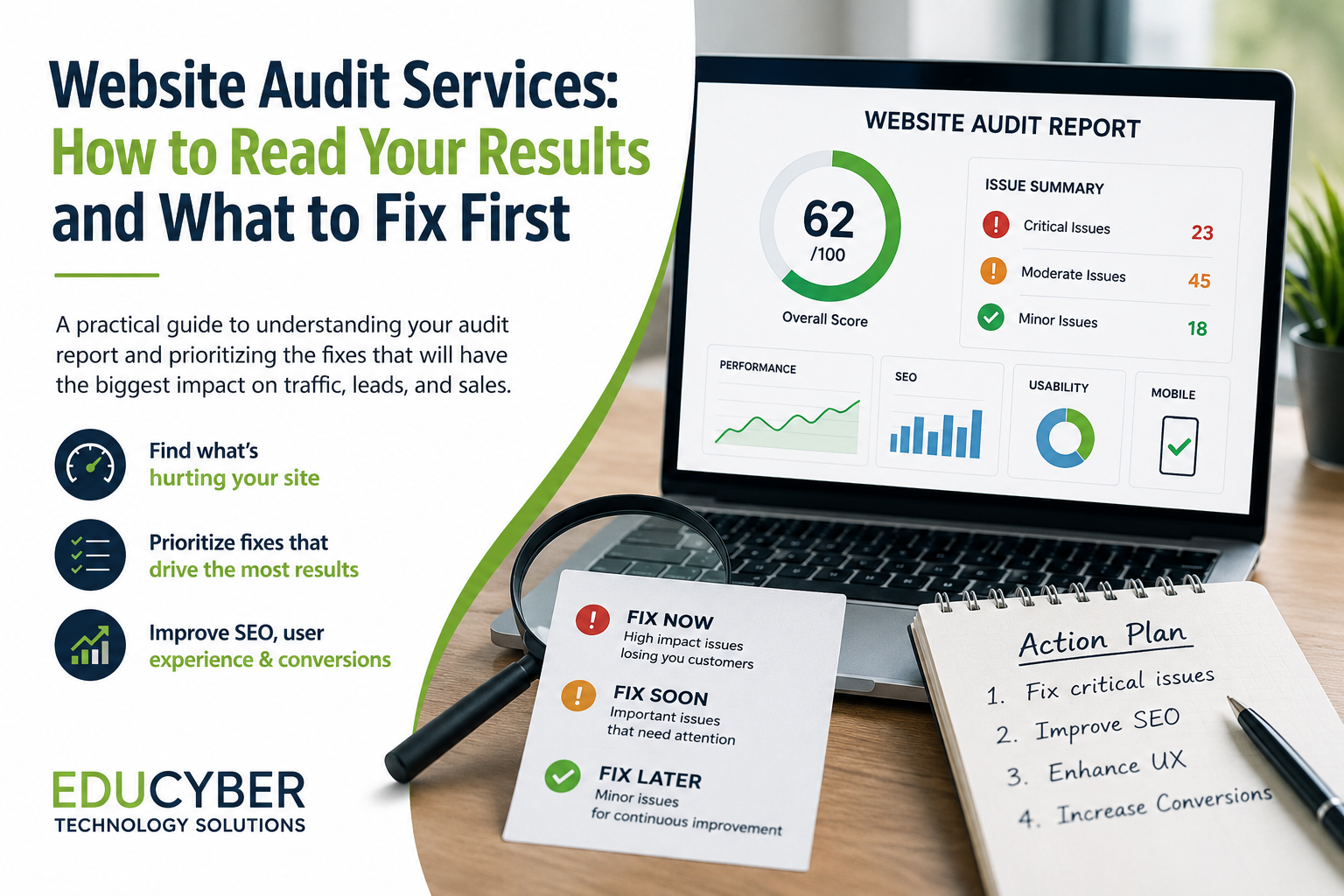
You paid for website audit services, and now you have a report. Maybe it’s 40 pages long. Maybe it’s full of scores, red and green icons, and terms like “crawl budget” and “Core Web Vitals.” You know something needs fixing. You just don’t know what, or where to start. You’re not alone. Most business owners who invest in a website audit hit the same wall: the report tells you what’s wrong, but not what matters most. This guide breaks down how to actually read your results and turn them into a short list of fixes worth doing first.
What a Website Audit Actually Covers
Before you can read the results, it helps to know what’s usually inside them. A thorough website audit typically looks at four areas:
- Technical health — site speed, mobile responsiveness, broken links, indexing issues
- On-page SEO — title tags, headers, content quality, keyword usage
- User experience — navigation, page layout, calls to action, form friction
- Conversion performance — where visitors drop off before taking action
Good website audit services will separate these into sections rather than dumping everything into one long list. If your report doesn’t have clear categories, that’s worth asking your provider about before you try to act on it.
Step 1: Ignore the Overall Score (For Now)
Most audit tools hand you a single score out of 100. It feels important, but it’s the least useful number in the whole report. A site can score 60 and be losing customers over one broken checkout button, or score 85 and still be missing easy technical wins. Scores are good for tracking progress over time — not for deciding what to fix today. Instead, scroll past the score and look for issue severity. Most audits flag problems as critical, moderate, or minor. Start there.
Step 2: Fix What's Blocking Visitors First
Not every issue costs you business. Some just cost you a little SEO ranking over time. Others are actively stopping people from becoming customers right now. When you’re reading your results, sort issues into two buckets:
Fix now — these lose you customers or traffic directly:
- Slow-loading pages, especially on mobile
- Broken forms, checkout errors, or dead links on key pages
- Missing or unclear calls to action
- Pages that don’t display properly on phones
Fix soon — these matter, but won’t tank your business overnight:
- Missing meta descriptions
- Thin or outdated content
- Minor accessibility issues
- Unoptimized image file sizes
If your audit report doesn’t already separate issues this way, it’s a good exercise to do yourself with a highlighter or a spreadsheet. Ask: “If I fixed nothing else this month, which three issues would have the biggest effect on leads or sales?”
Step 3: Look for Patterns, Not Just Individual Errors
A single broken link is a quick fix. Ten broken links across your site usually points to a bigger issue — an old site migration, a plugin conflict, or content that was never properly maintained. Good SEO audit and search engine optimization work looks at these patterns rather than treating every flagged item as its own isolated task. If you notice the same type of problem showing up repeatedly in your report, that’s usually the root cause worth solving first, since fixing it often resolves several smaller flagged issues at once.
Step 4: Connect the Audit to Your Conversion Rate
Technical and SEO fixes matter, but they only help if visitors who land on your site actually take action once they get there. This is where a lot of businesses stop short — they fix the technical issues and wonder why sales still haven’t moved. A website audit is really the diagnostic step before conversion rate optimization work begins. If your audit flagged confusing navigation, weak calls to action, or high bounce rates on key pages, those are conversion problems, not just SEO ones, and they deserve their own line of attention on your fix list.
Step 5: Set a Realistic Timeline
Trying to fix everything in your report at once usually backfires. Teams get overwhelmed, priorities get lost, and nothing actually ships. Instead, break your fixes into three phases:
- This week: Critical issues affecting speed, mobile display, or lead capture
- This month: Moderate SEO and content issues
- This quarter: Ongoing improvements like content refreshes and structural cleanup
This mirrors how we approach it with clients too — we covered the diagnostic side of this process in more detail in our post on what happens during an SEO audit, if you want to understand what’s happening behind the scenes before the report even lands in your inbox.
When to Bring in Help
DIY-ing a few fixes from your audit is fine for small stuff — updating a meta description or compressing an image. But when the report points to structural problems — like a site built on an outdated platform, conversion issues across multiple pages, or SEO problems that go beyond one-off fixes — it’s usually faster and cheaper long-term to work with a team that handles website audit services regularly and can prioritize the work correctly the first time.
Final Thoughts
A website audit report isn’t meant to be read top to bottom like an article — it’s meant to be triaged. Ignore the overall score, sort issues by what’s actually costing you business, look for patterns instead of one-off errors, and connect the technical findings back to your conversion goals. Do that, and a 40-page report turns into a short, manageable action list instead of a source of overwhelm. If you’ve got an audit report sitting in your inbox and aren’t sure where to start, reach out to our team — we can walk through it with you and help you prioritize what to fix first.